Consider the following scenario you’ve likely encountered:
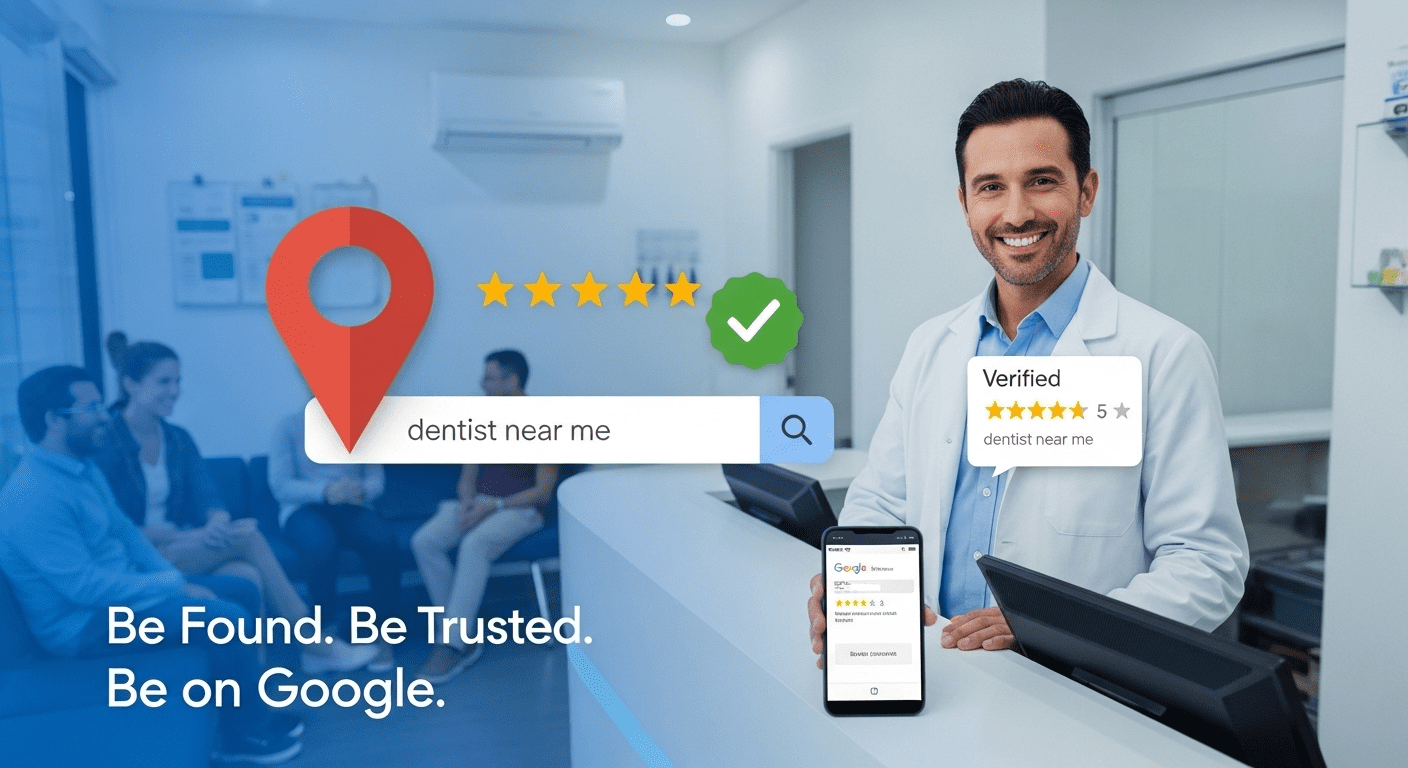
You’ve recently opened or relocated your dental clinic to a new suburb in Melbourne. One early morning, someone nearby wakes up with a sudden, intense toothache. In pain and looking for help, they do what most Australians would, they reach for their phone and search “dentist near me” or “best dentist in Melbourne” on Google.
Within seconds, Google shows them a list of nearby dental clinics – complete with reviews, photos, directions, and opening hours.
Now, imagine if your clinic isn’t on that list.
That’s not just a loss of visibility – it’s a lost opportunity to gain a new patient.
This is why having your dental practice listed through Google Business Profile SEO is essential. If you’re operating a dental clinic in Australia, making your business easy to find online is critical to growing your patient base and staying competitive in a highly localized healthcare market.
This guide walks you through the full process of adding your dental clinic to Google, helping ensure it’s visible, trusted, and easily accessible when patients in your area need it most.
How Your Dental Practice Can Benefit from Google My Business
Be Found Where Patients Search – Aussies depend on Google Maps and search to find nearby healthcare services.
Instant Credibility – Showcase reviews, opening hours, photos, and services to build trust instantly.
Maximize Patient Engagement – Enable messaging, booking links, and FAQs directly from your profile.
Stay Top-of-Mind – Appear in search when users look for things like “emergency dentist in Brisbane” or “cosmetic dentist in Adelaide.”
Improve Local Search Visibility – A complete profile can help your practice rank higher on Google Maps and attract high-intent traffic.
How to Add Your Dental Office to Google [Step-by-Step]
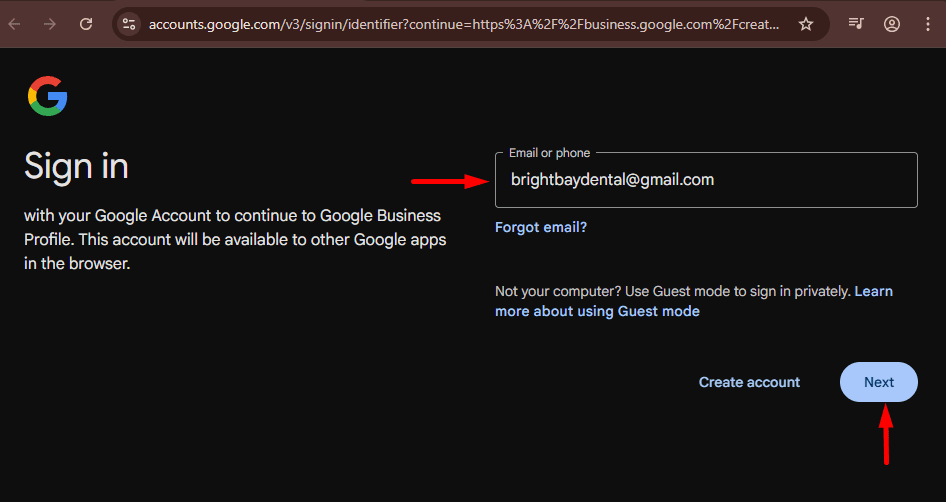
1: Log In to Google Business Profile
- Visit the official Google Business Profile page to get started
- Click on “Get Started.”
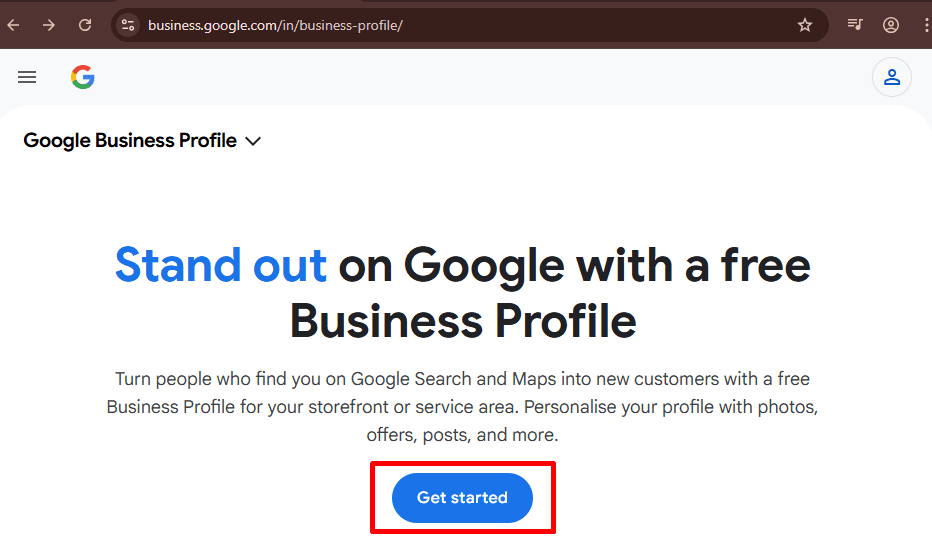
- Sign in with your personal Google account or create a new one for your dental practice.
(or)
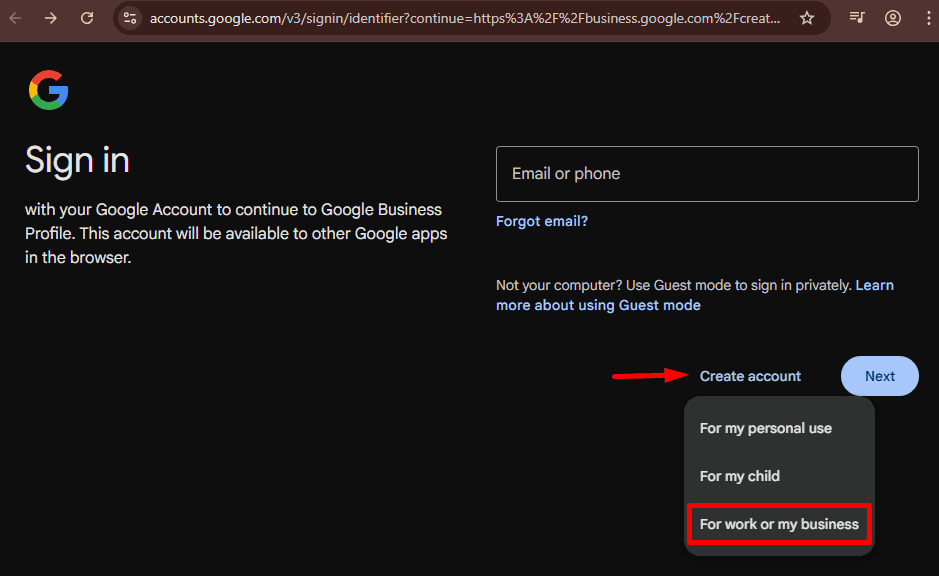
- This account will manage your listing, so make it secure and related only to your business.
2: Enter Your Dental Clinic Name
- Type out your full clinic name (i.e. “Bright Bay Dental”) to start things off.
- If it shows up in the drop-down list, choose it that means Google already has some information about your business.
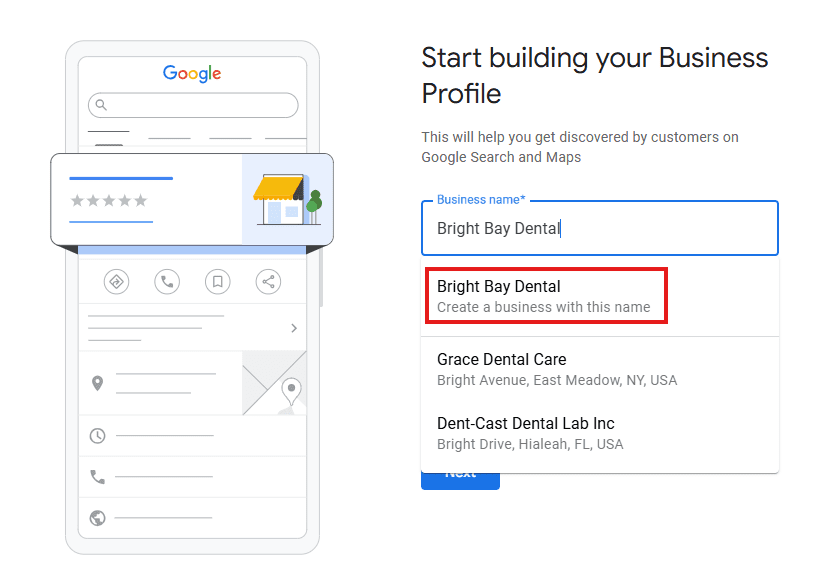
- If not, click “Add your business to Google” and start from scratch.
3: Choose the Correct Business Category
- Type in “Dentist” and search it.
- You can be more descriptive with categories such as:
- Cosmetic Dentist
- Emergency Dental Service
- Orthodontist
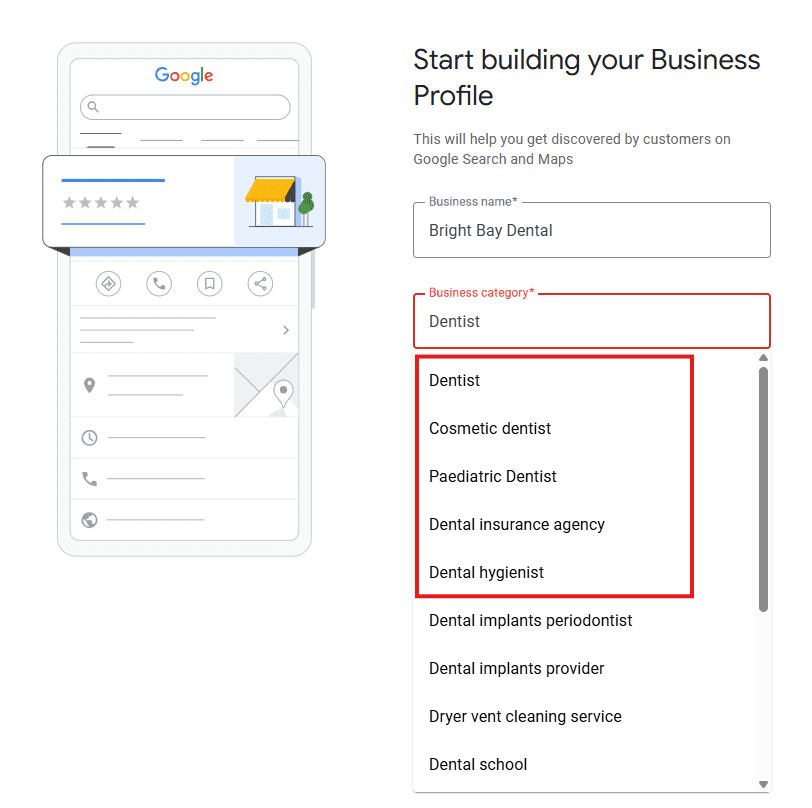
- It helps patients to find you when they are looking for that particular type of service.
4: Enter Your Clinic’s Address
- Select “Yes” if you practice in a clinic and provide care to patients there.
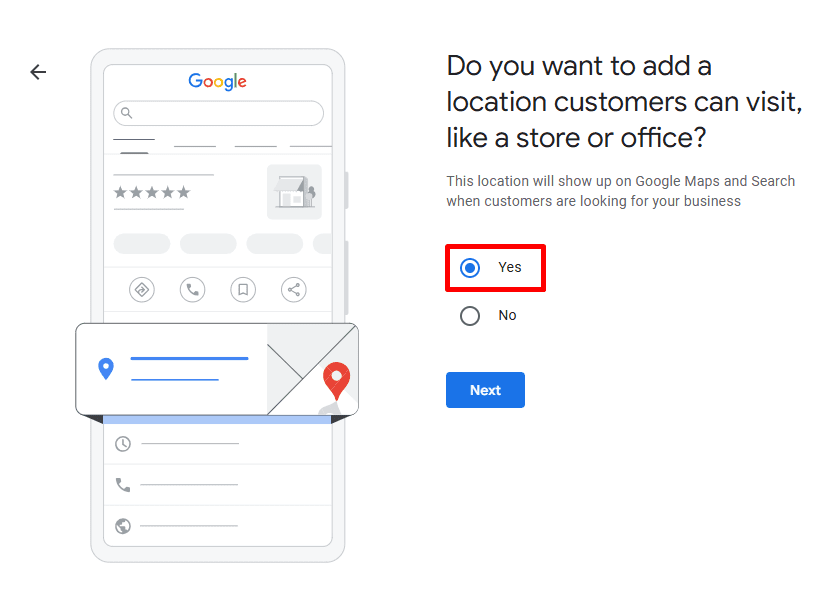
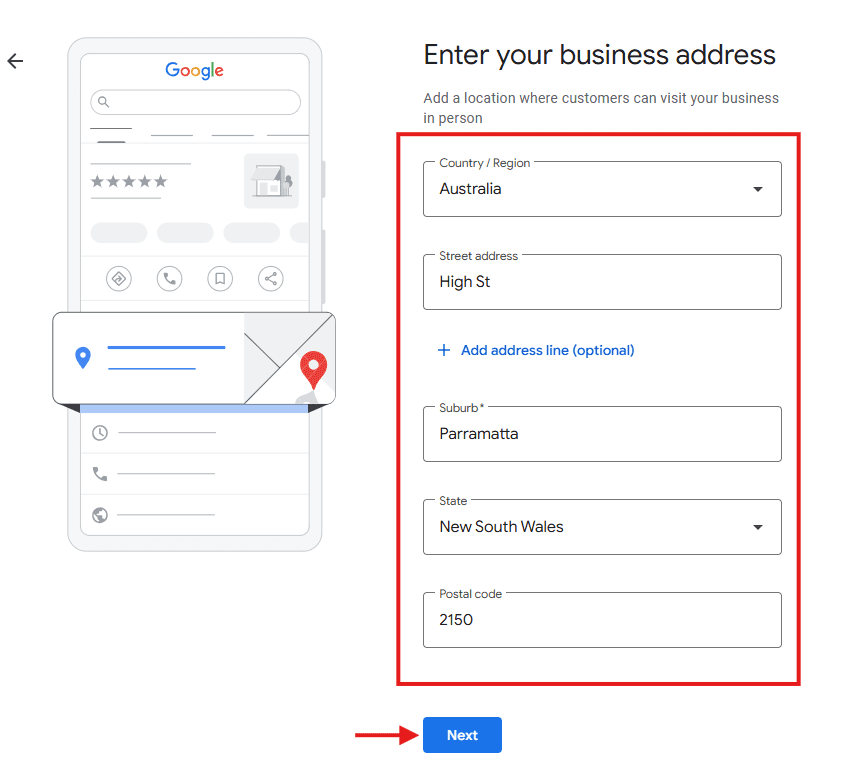
- Click on Enter your address manually, and type your complete address, for example 456 High St, Parramatta NSW 2150.
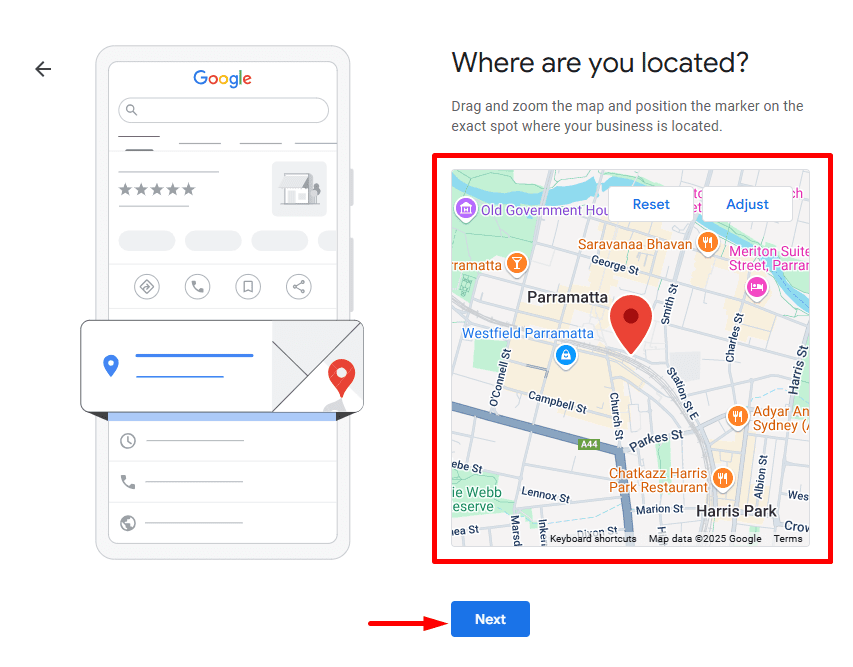
- Drag the pin on the map precisely to your location – this is what shows up on Google Maps.
5: Define Your Service Areas (Optional but Powerful)
- If you also work in neighbouring suburbs or are willing to do home visits, then you can add those suburbs to your list here.
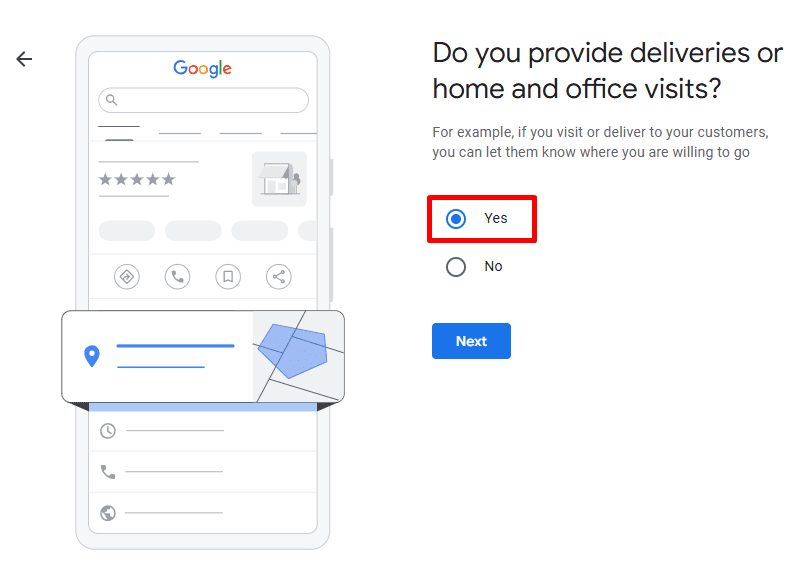
- For Brisbane-based dentists, for instance: Include Fortitude Valley, South Brisbane and Sunnybank.
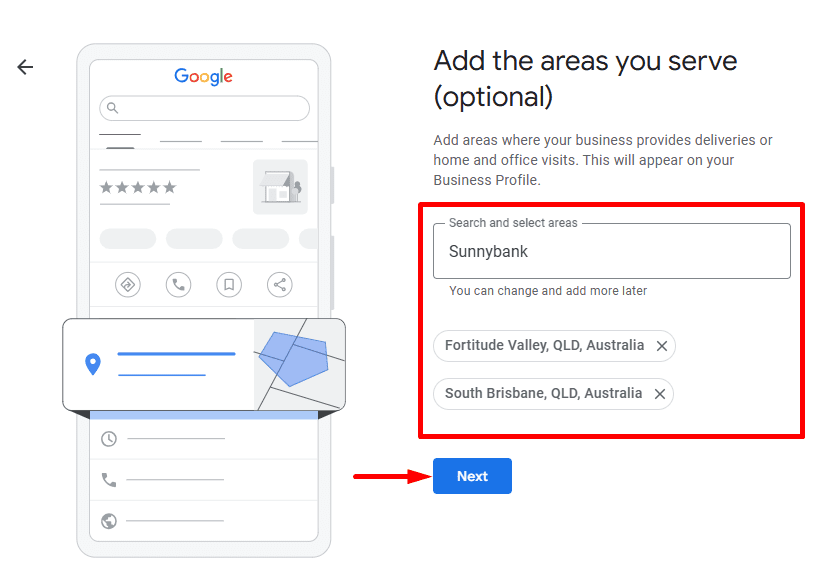
- This increases your presence in search results in Google not just from your physical location.
6: Provide Your Contact Information
- Add your main clinic phone number and website.
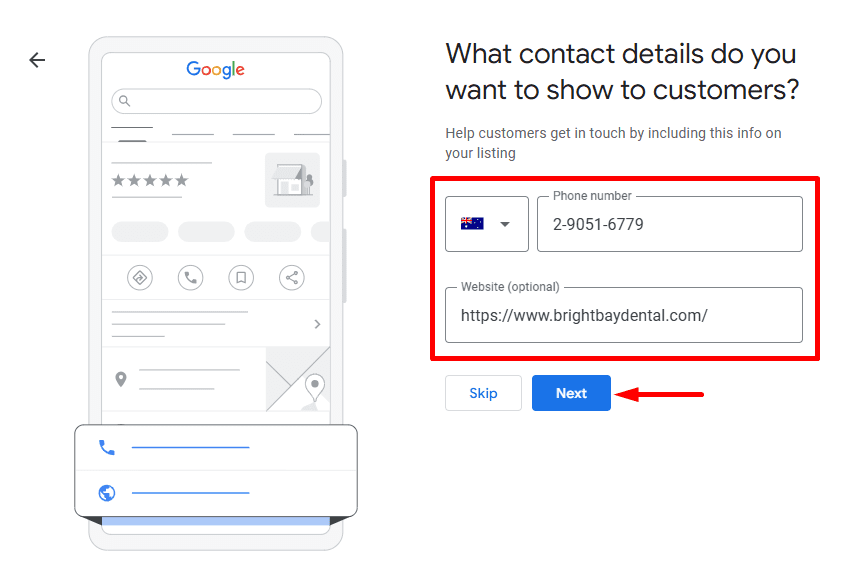
- Ensure these are consistent with what your website, Facebook page and any local directories state.
- Relevant contact information ensures Google trusts you and increases local SEO rankings.
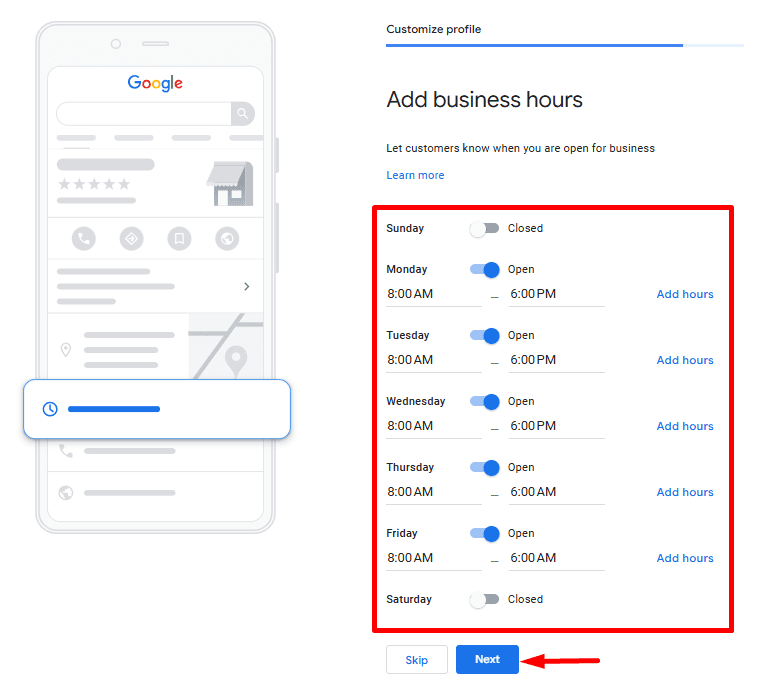
7: Enter Your Business Information
- Operating Hours: Opening and closing hours should be filled in correctly (e.g., Mon–Fri: 8:00 am – 6:00 pm).
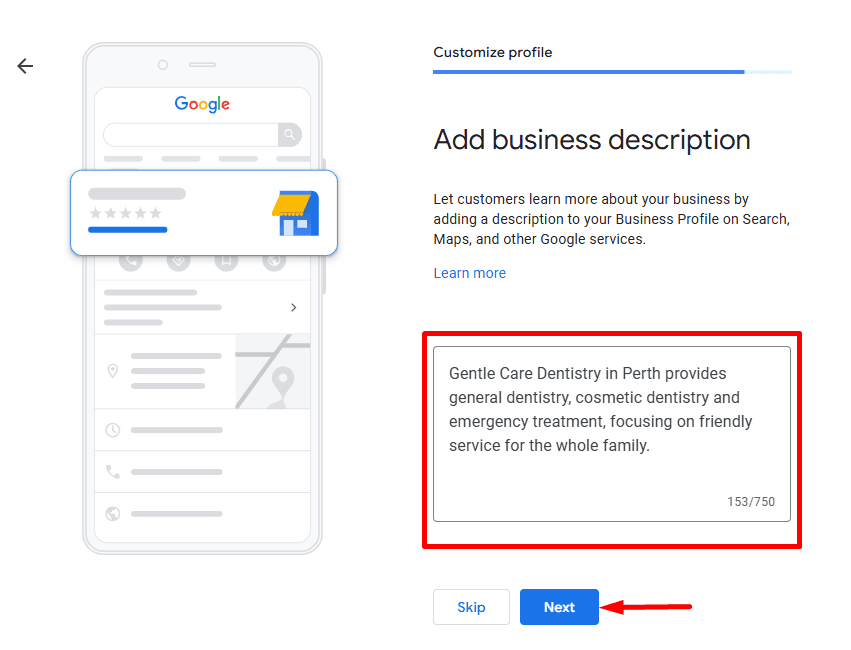
- Business Description: Brief, high-SEO summary without special characters such as:
“Gentle Care Dentistry in Perth provides general dentistry, cosmetic dentistry and emergency treatment, focusing on friendly service for the whole family.”
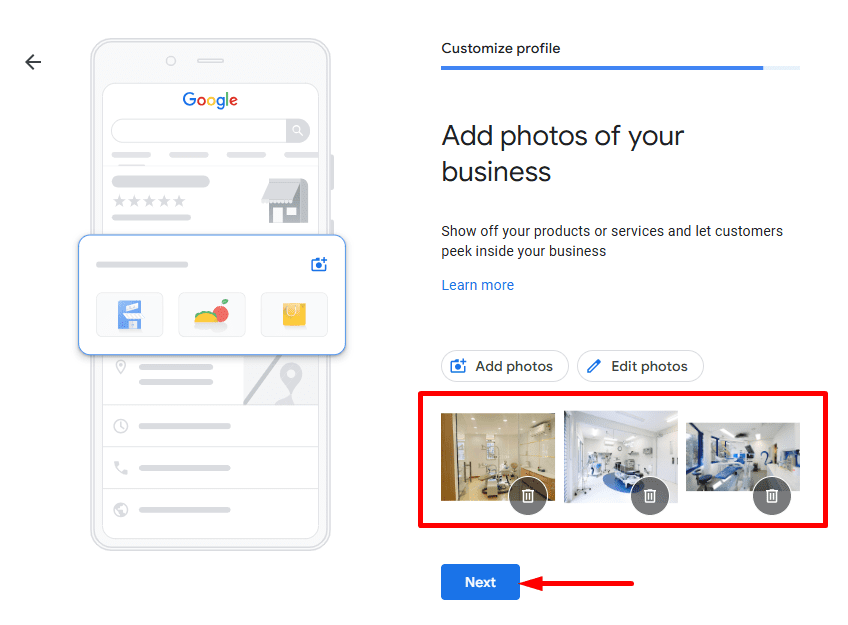
- Images: Add high-resolution pictures of:
- Your clinic’s exterior and reception areas
- Your dental team in action
- Equipment, treatment rooms or images of smile makeovers (with patient permission)
8: Verify Your Business
- Select a way to verify your business:
- Most common: Postcard with a unique code sent to your clinic.
- Some may qualify for verification by phone or email.
- You will be taken to the Google instructions on how to verify your listing.
- Once your clinic is verified, you’re now live on Google Maps and Search!
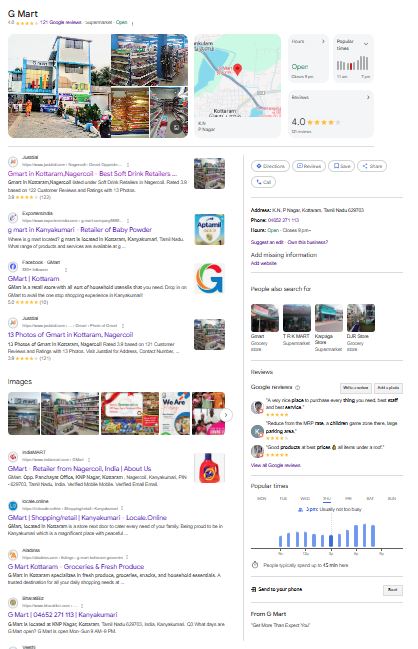
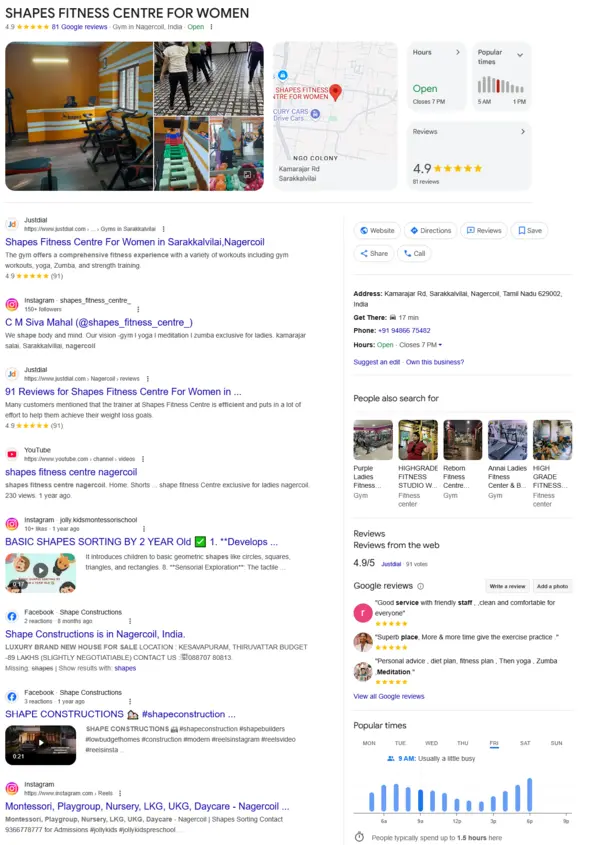
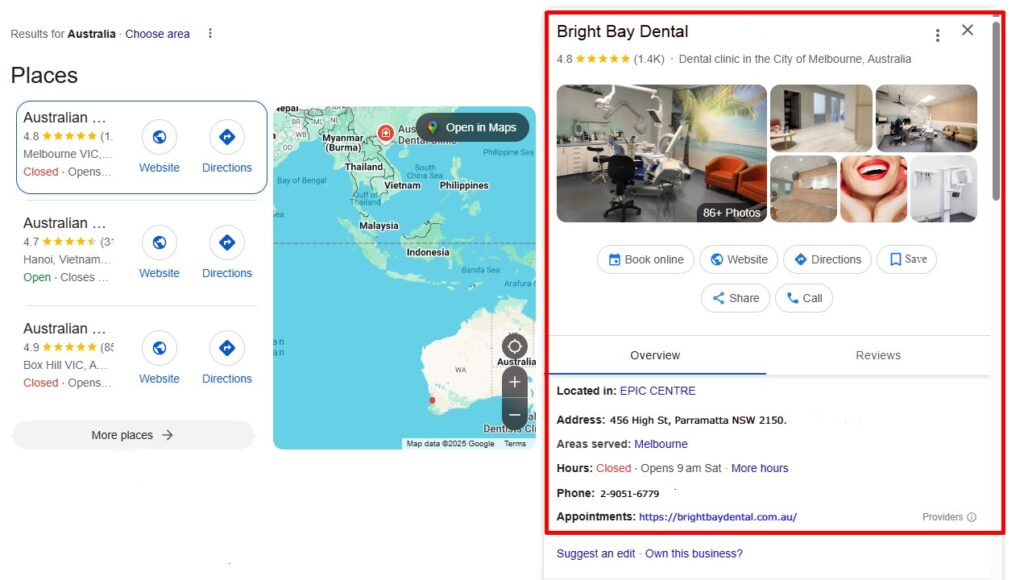
- Once your clinic is live and well-optimized, it may appear similar to the image shown below in the website section of the Google Business Profile for Australia.
If you want expert help to do this right, explore GBP SEO services that help clinics manage their profiles professionally.
How to Optimize Your Google Business Profile (for Dentists)
Announce Updates: Share practice news, service highlights, and holiday hours.
Ask for Reviews: Politely ask happy patients for feedback. Respond professionally to all.
Enable Appointments: Link your online booking system.
Use Aussie Spelling: e.g., “favourite” instead of “favorite.”
Add FAQs: Help answer common questions patients have before calling.
Want to save time? You can also hire a GBP SEO expert to manage all of this while you focus on patient care.
FAQs: GBP SEO for Dental Clinics in Australia
Why is my dental clinic not showing on Google?
Your listing may be unverified, incomplete, or inconsistent. Using a Google Business SEO checklist ensures every important detail is in place. Consider working with a local SEO agency to audit your profile setup.
How do I rank higher on Google Maps as a dentist?
Make sure your GBP listing includes:
Complete contact information
Consistent NAP across platforms
Relevant categories like “Emergency Dentist”
High-resolution clinic images
Regular updates
These GBP SEO tips for small businesses are essential for standing out.
Does GBP help with SEO for dental clinics?
Absolutely. It boosts local visibility, builds trust through reviews, and drives appointment bookings. Learn more about GBP SEO services designed specifically for service-based businesses like healthcare.
How can I get more leads from my Google Business Profile?
Optimize your profile with keywords (e.g., “emergency dental care Melbourne”)
Post updates weekly
Respond to every review
Connect a booking link
This is the basis of a successful local SEO strategy.
What’s the fastest way to optimize my GBP listing?
Add quality photos
Enable direct messaging
Keep hours updated
Request reviews consistently
For a hands-free approach, you can schedule a GBP audit or setup through a professional GBP optimization service.
Final Thoughts: Don’t Let Your Dental Clinic Stay Invisible
If your clinic isn’t on Google, you’re missing out on the #1 way Australians find healthcare. This guide gave you a straightforward path to listing your dental practice using Google Business Profile SEO best practices.
Whether you’re based in Melbourne, Sydney, Perth, or Brisbane, showing up online is no longer optional – it’s vital.
Ready to get your clinic listed and optimized? Start now or let the pros handle it through trusted GBP SEO services built for Australian businesses like yours.