When I work on SEO and Google Business Profile optimization, I often wonder what happens after someone finds a business on Google.
Imagine a person searching for a restaurant. They open the restaurant’s Google Business Profile, look at the photos, read the reviews, and review the details. What happens next? The person might visit the website, call the restaurant, or send a message to ask whether a table is available.
I find this customer journey because not everyone takes the same action. Some people prefer calling, while others feel more comfortable sending a message before making a decision.
When I look at business performance, I do not want to focus only on how many people viewed a profile. I also want to understand how people interact with it and what actions they take after discovering a business.
That is why Google’s latest update on GBP caught my attention.
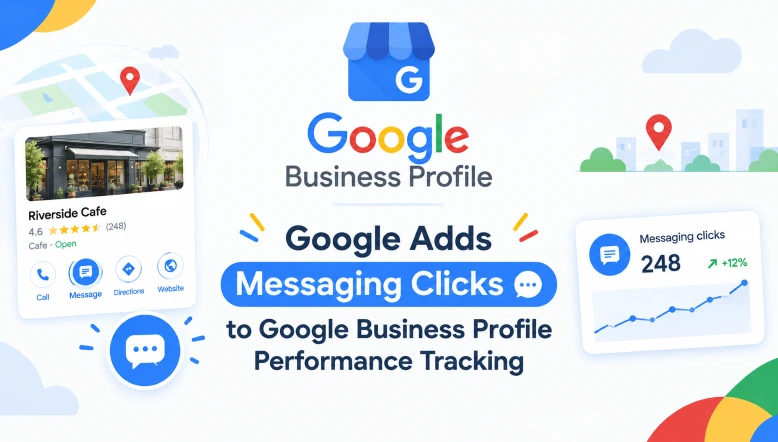
Google has added a new Chat Clicks metric to the Google Business Profile Performance. Businesses and marketers can see how often people click the messaging or chat button on a business profile.
I think this is a good thing, as messaging is another important way for customers to get in touch with local businesses.
New Messaging Clicks Metric on GBP Performance Report?
I will illustrate this with an example.
Imagine a customer finds a restaurant through Google Search. The customer checks the menu and reviews. Still has a few questions. Instead of calling, the customer clicks the messaging option to ask about table availability or today’s special menu.
With the Chat Clicks metric, this type of interaction can be measured through the Google Business Profile Performance.
Earlier, marketers could review performance activities such as calls, website clicks, and direction requests. Now messaging clicks provide another data point to understand how customers interact with a business.
One thing worth remembering is that this metric measures clicks on the messaging button. It does not necessarily confirm that a customer sent a message or completed a booking.
Why I Think This GBP Report Update Matters for Local Businesses
When I think about how people communicate with businesses today, I notice that customers often want answers without making a phone call.
For example, someone looking for a beauty salon might want to ask about appointment availability. A customer searching for a restaurant may want to check whether a particular dish is available. Someone looking for a service provider may simply want to know the price before deciding.
These small interactions can be a part of the customer journey.
From my perspective, in marketing, tracking messaging clicks gives us another way to understand how people are engaging with a business. It can also help us look beyond profile views and see which contact options attract customer interest.
Of course, I would not judge a business profile’s performance using this metric alone. I would compare it with calls, website clicks, and other available engagement data to get a picture.
What I Would Check as an SEO Professional
If I were reviewing a client’s Google Business Profile, I would look at messaging clicks along with the available performance metrics.
I would also pay attention to a practical thing.
- Contact information – Make sure the business details and contact options are accurate.
- Customer responses – Check whether enquiries are being handled promptly.
- Engagement trends – Compare messaging clicks with calls, website clicks, and other interactions.
- Customer behavior – Understand which contact methods customers prefer.
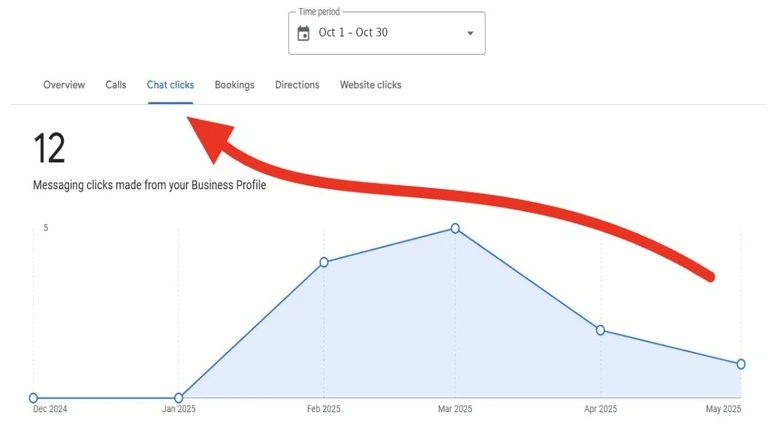
To Check Message Clicks in the GBP Performance Report
- Sign in to the Google Business Profile.
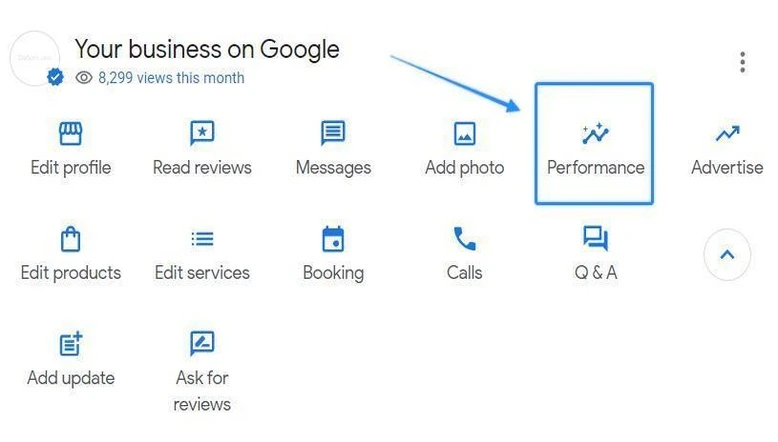
- In the GBP dashboard, click the Performance option
- Select the date range
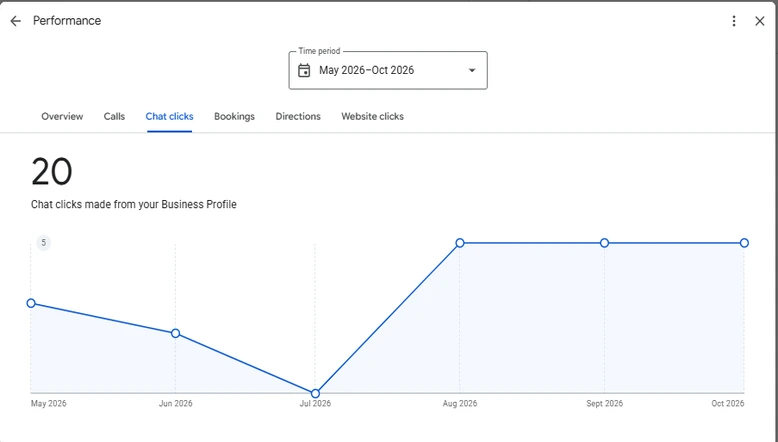
- Move to the Chat clicks section.
- Now you can see the message clicks in the GBP performance report