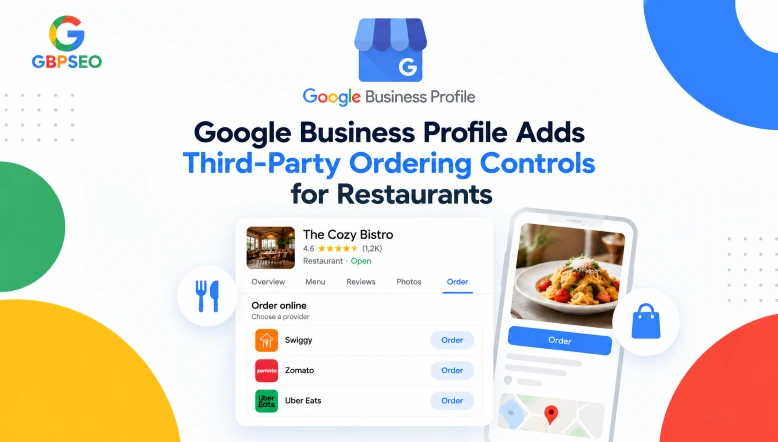
Google has introduced controls in Google Business Profile that allow restaurant owners to manage third-party ordering providers directly from their profile dashboard. This update was announced on October 28, 2026. Gives businesses greater control over which ordering services appear on Google Search and Google Maps.
Previously, restaurants could request the removal of third-party ordering links, but the ordering provider generally had to process the request. With the new controls, restaurant owners can manage individual providers themselves instead of relying entirely on those external services.
What Has Changed in Google Business Profiles?
The new controls allow restaurant owners to decide which third-party ordering providers appear on their Google Business Profile. Businesses can turn each provider on or off and manage its pickup and delivery options separately, where available.
For example, a restaurant might want to keep its delivery link active while hiding the same provider’s pickup option. The new settings provide more flexibility for managing these choices.
According to Google’s announcement, the controls are designed to give restaurant operators control over restaurant ordering links and the services representing their businesses online.
How Restaurant Owners Can Manage Ordering Providers
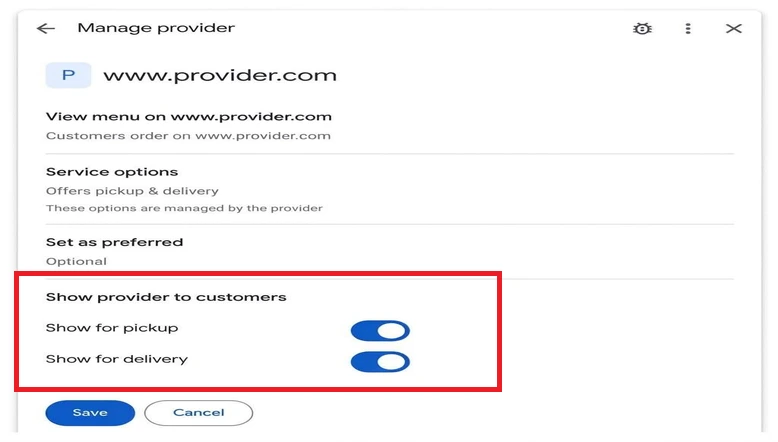
Restaurant owners can review and update restaurant ordering options through the Google Business Profile dashboard.
- Sign in to the restaurant’s Google Business Profile.
- Navigate to the food ordering section.
- Just select the third-party provider ordering you want to control.
- Review the available pickup and delivery controls.
- Turn the relevant options on or off, depending on your restaurant’s requirements, and save the changes if prompted.
The appearance of these provider-level controls may vary depending on the account and how far along the rollout is. If the settings are not visible check the official Google Business Profile Help Center for information about the ordering management options that’re currently available.
Why This Update Matters for Restaurants
Third-party ordering links can help customers place orders easily. Not every restaurant wants to show every possible provider. Different services come with fees, delivery areas, operating rules, and order handling systems.
The new controls offer several practical benefits.
More Control Over Ordering Partners
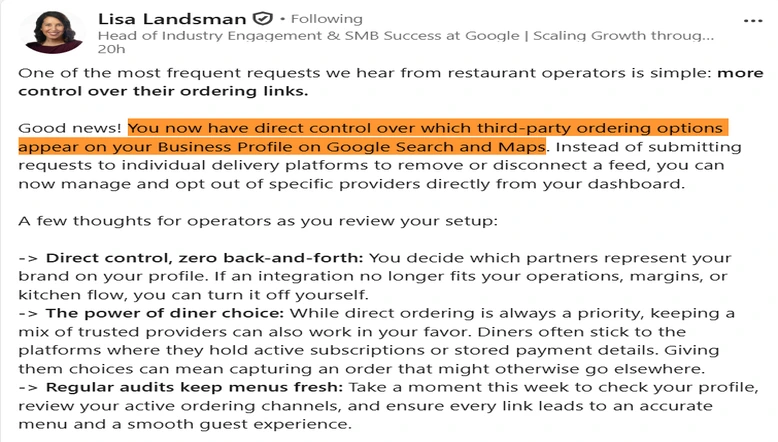
Restaurants can decide which third-party providers appear on their profiles. This is useful when a business stops working with a provider or changes its ordering strategy.
Separate Pickup and Delivery Options
Where the controls are available, restaurants can manage pickup and delivery visibility separately. This allows them to keep useful ordering options active without necessarily displaying every service for both order types.
Fewer Manual Removal Requests
Previously, removing a provider could involve contacting the service and waiting for it to process the request. Direct control makes it easier options to change if needed.
A Better Customer Ordering Experience
New order links help customers decide. They can slim their list of providers and delete services that don’t complement their setup. It removes the confusion. Improves the customer experience.
How This Update Helps Restaurants Improve Their Local Presence
Google Business Profile helps customers find restaurants, see menus, and choose how to order. With these ordering controls, restaurant owners can manage which third-party providers appear on their profiles. They can also keep pickup and delivery options in line with what their business offers.
Restaurants should review their ordering links periodically. They can keep providers enabled and turn off ones they no longer use. This ensures that customers find the ordering option when they discover the business through Google Search or Google Maps.
For agencies that handle Google Business Profiles, checking third-party ordering settings can now be part of a regular audit. This includes reviewing business details, menus, reviews, and other profile information.