Imagine running a business for several years. Customers find you through Google Search and Google Maps. They call your business, check your opening hours, and read your reviews before they come to visit.
One day you go to update your business hours. You cannot sign in to the Google account that is linked to your business profile.
Maybe the employee who set up the profile left your company. The email account was deleted. You forgot the password. Your business switched to a new email system. No matter the reason, you suddenly realise you can no longer manage a part of your online presence.
This situation can be stressful. Especially when your business profile is still visible to customers. You cannot make any changes to it.
The good news is that losing access to your business email does not mean you lose your Google Business Profile forever. Depending on the situation, you may be able to Reclaim Google Business Profile.
Let’s look at how to handle this without making things more complicated.
First, Understand What Actually Happened
Before you start trying to recover your business profile, pause and figure out what really happened.
Not all access issues are the same. The solution depends on the root cause.
For example, imagine a restaurant owner. His marketing assistant created the restaurant’s Google Business Profile using a company email address. A year later, the assistant leaves. The email account is turned off. The owner still sees the restaurant on Google Maps. He cannot sign in to manage it.
In this case, the problem is not the business profile. It is the Google Account used to manage it.
There are three situations to think about:
- You cannot access your original Google account. You remember the email address. You forgot the password or can’t sign in.
- Someone else manages your business profile. A former employee, owner, or marketing agency still controls it.
- You do not know which email is connected to your profile. The person who created it is. No one knows the login details.
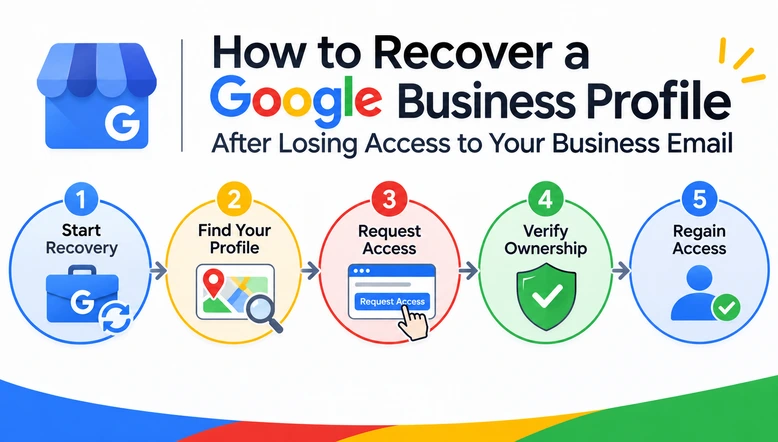
1. Request Ownership of Your Existing Google Business Profile
What if you cannot reach the person who created the profile? They no longer work with your business?
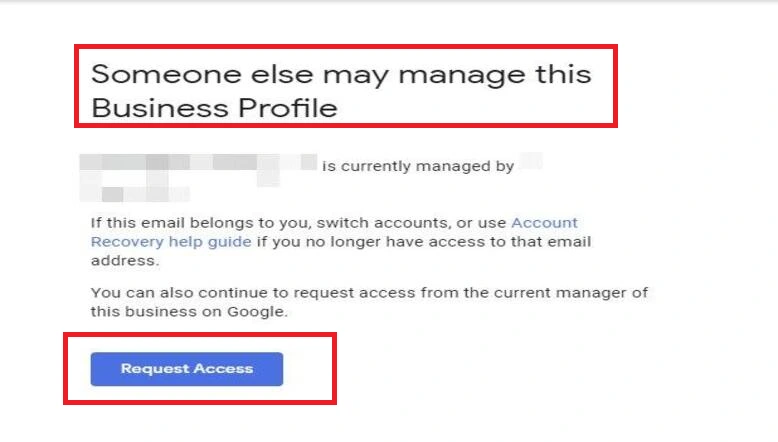
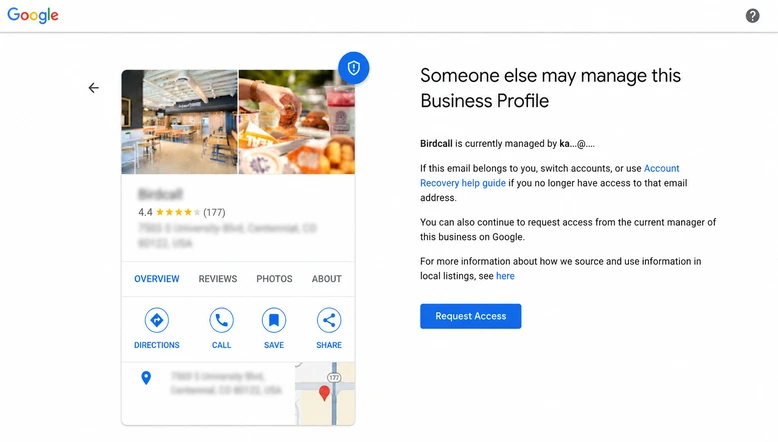
Google allows you to request ownership of a business profile that someone else is managing.
Follow these steps:
- Sign in using the Google Account that you want to use for the business.
- Enter your business name and address.
- Select the Business Profile from the list.
- If Google says someone else may manage the profile, choose Request Access.
5. Fill out the form with your business details and the level of access you need.
6. Submit the request.
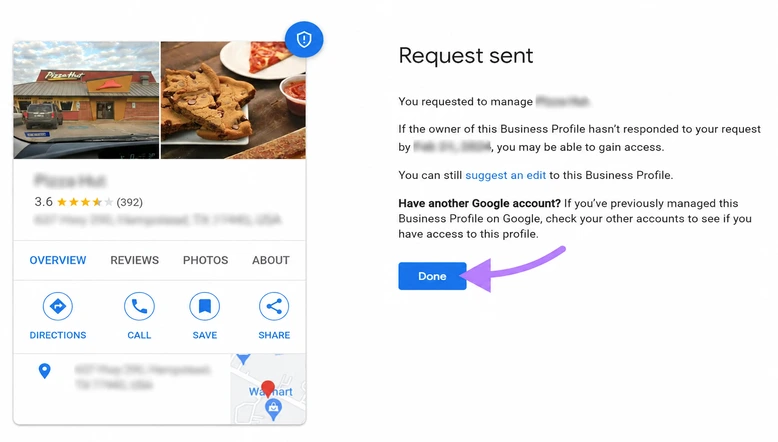
Google will send an email to the current profile owner. According to Google’s guidelines, the owner has three days to respond.
If the request is approved, you will receive an email confirming that you can manage the profile. If the request is denied, Google may let you appeal.
If there is no response after three days, you might be able to claim the profile yourself. Google does not guarantee this option will always work.
2. What If You Cannot Identify the Current Owner?
This is where it gets harder. You see your business on Google Maps. You have no idea who is managing it. The email shown may be partially hidden, so you cannot tell who the owner is.
In this case, do not rush to create a business profile. Instead, use Google’s support process to explain the issue.
Choose the option about business profile access or ownership. Explain that you are the business owner but cannot access the original email. Get ready to provide your business information and finish any verification that Google asks for.
In some cases, Google might ask for information. This might include proof that you’re the real owner.
3. Prepare Your Business Information Before Contacting Google
One thing many business owners do wrong is start a recovery request without having their documents ready. Before you contact Google, gather the information that proves your connection to the business.
You may need:
- Your business name, address, and contact information.
- Your business website.
- Business license or registration documents, if needed.
- Proof that you have the right to manage the business.
- Pictures of the business location or signage, if asked.
These are examples of information that can help. Google decides what to ask for in each case. Make sure the information you give is correct and matches your business.
4. Secure Your Business Profile After Recovering Access
Getting into your profile is just the first step. After that, take time to make sure this does not happen again.
Use a business-controlled Google Account – Make sure the account used for your business profile belongs to the business. Not to an employee’s email.
Review the people who have access – Go to your business profile settings. Review the owners and managers. Remove anyone who no longer needs access. Follow Google’s rules about waiting periods.
Keep ownership separate from daily management – The business should own the profile. Agency and employee access by role.
Enable two-step verification – Add a security layer to the Google account that manages your profile.
Keep recovery information updated – Make sure the account has a working recovery email and phone number.
When Should You Get Professional Help?
Sometimes recovering a business profile is not easy.
You may face problems like an original owner, a former agency that refuses to transfer access, a dispute over ownership, or repeated issues with Google’s verification.
At GBP SEO, we help businesses with Google Business Profile ownership and access problems. Talk to our team. We can help you understand your situation, find the steps, and guide you to recover the Google Business Profile.