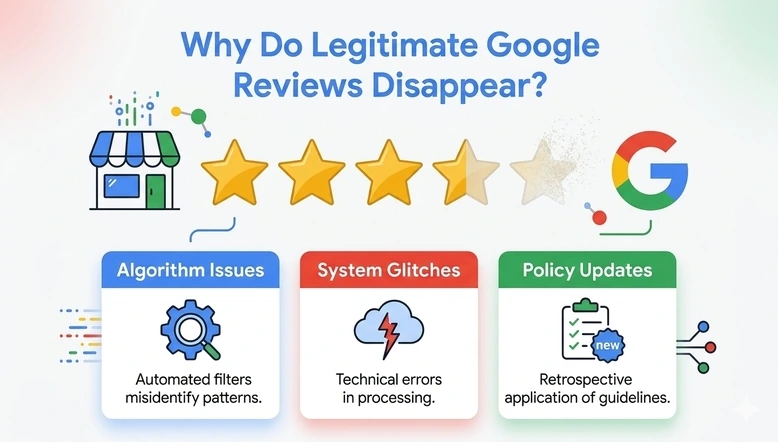
When I work on Google Business Profile (GBP) optimization, I pay close attention to customer reviews. They are more than star ratings. Reviews help potential customers understand a business, build confidence, and decide whether they want to contact or visit it.
Imagine a business owner who has spent months collecting customer feedback. Customers have shared their experiences, written comments, and given positive ratings. One day the owner checks the Google Business Profile. Notices that some reviews are missing.
The first thought is usually that something has gone wrong. Did the customers delete their reviews? Did someone report them? Has Google removed them?
And to add fuel to the fire, I can bet some of those lost reviews were from customers who followed the review guidelines.
I find this an important issue for businesses because losing genuine reviews can affect how owners understand their online reputation. So before assuming that a review has been removed permanently, I would first look at why it might have disappeared.
Why Do Genuine Google Reviews Sometimes Disappear?
Google uses automated systems to spot spam reviews. These systems look for reviews that might be false, misleading, or break Google’s rules. These systems help keep reviews trustworthy for customers.
However, automated detection is not perfect. Google acknowledges that some legitimate reviews may also be removed by mistake.
This means a genuine customer review can sometimes disappear even when the customer has shared an experience.
There are possible reasons behind this.
1. Google’s Automatic Spam Detection May Flag a Real Review as Spam
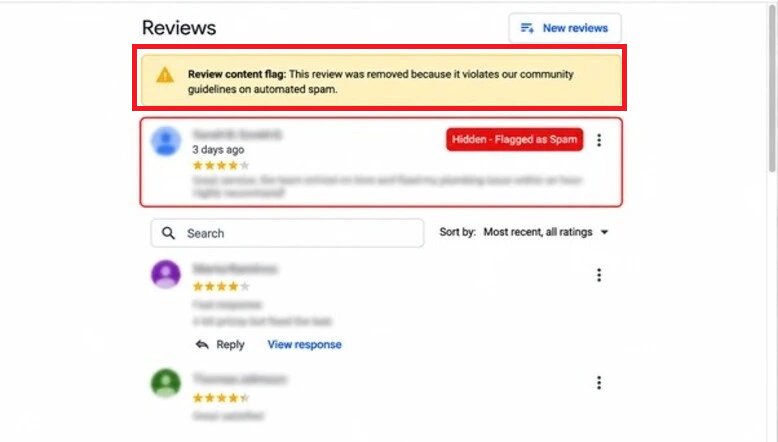
When I look at a Business Profile that has reviews, one of the things I think about is Google’s review filtering process.
Google search trends for reviews and reviews against the policy. Sometimes a legitimate review may be caught by these automated systems.
For example, a customer might write a review after visiting a business, but the review may still be filtered by Google’s systems.
This does not automatically mean the customer did anything. It means the review may have been flagged during Google’s checks.
Google explains that legitimate reviews can sometimes be removed unintentionally. If this happens, business owners can contact Google support for assistance.
2. A Sudden Increase in Reviews May Trigger Additional Checks
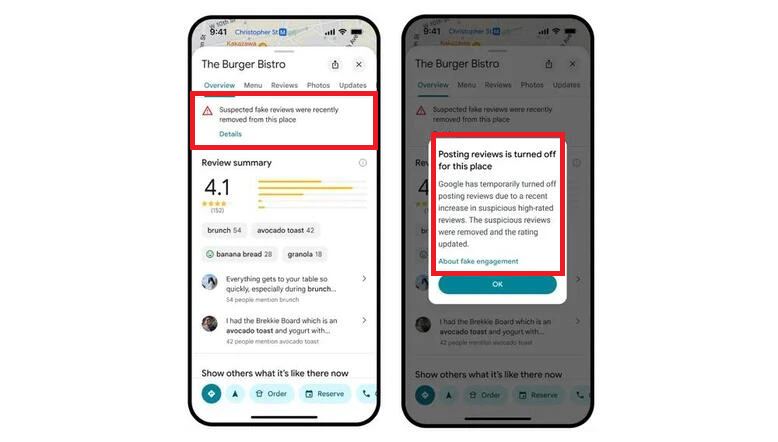
Imagine a local restaurant gets five reviews in one week. Then gets another 30 reviews over the next two days.
Even if all the reviews come from customers, a big jump in the number of reviews may get noticed by spam detection systems.
I always tell businesses to focus on getting feedback in a way instead of trying to get a lot of reviews quickly.
Do not give discounts, gifts, or other rewards in exchange for reviews. Google does not let businesses offer anything in return for customer feedback.
A slow and steady stream of customer experiences is better than trying to get reviews in a short time.
3. Reviews May Take Time to Appear on Google
Not every missing review has been deleted forever.
Google checks reviews to make sure they follow its policies. In some cases, this process can take a day, which means a customer’s review may not appear immediately.
I would not recommend treating every delayed review as a removal issue.
If a customer has recently submitted a review, give it some time before taking action. Also ask the customer to check whether their review is visible from their Google Maps account.
4. Merging Business Profiles Can Delay Review Visibility
Businesses sometimes end up with Google Business Profiles for the same location. When eligible profiles are merged, their reviews may take some time to appear together.
For example, a business might have a profile and a newer profile created during a business information update. After Google merges the profiles, reviews from both listings may not appear immediately.
Google says that review visibility after a profile merge can take a day to update across Search and Maps.
When I come across this situation, I would first check whether the profiles were recently merged before assuming that reviews have been permanently lost.
5. Reviews May Disappear After a Business Profile Is Reinstated
Another situation to check is when a Business Profile was suspended or turned off.
After Google brings a profile online, some reviews might not show up as they should.
This can be very upsetting for business owners who have already finished the process to get their profile back and expect their old information and reviews to return.
Google specifically mentions this situation in its delayed reviews guidance. If reviews disappear after reinstatement, business owners should contact Google support for assistance.
What Should I Do When Genuine Google Reviews Disappear?
If I see that real customer reviews are missing, I would not make any changes to the business profile. Instead, I would do a check to find out what happened.
Check the Google Business Profile
Search for the business on Google or Google Maps. Check whether the missing reviews are still visible. Compare the public listing with the review management section.
Check whether the reviews are delayed
If customers have recently submitted their reviews, allow a day for Google’s review checks to complete.
Review recent profile changes
Check whether the business profile was recently merged, reinstated, or affected by any restrictions.
Review Google’s review policies
Make sure the missing reviews do not have anything that is not allowed, like advertising, rewards, or other things that break the rules.
Contact Google Business Profile Support
If the reviews are real and you think they were taken down by mistake, contact Google help. Give information, like the business name, how many reviews are missing, the names of the people who wrote them, the dates, and screenshots if you have any.
It will give Google an idea of what the problem is.
At GBPSEO, we understand how important customer reviews are to visibility and business reputation. For support with Google Business Profile review management and local SEO, feel free to contact our GBPSEO team.